500 Internal Server Error! Don’t Panic!
New Site Admiration
The other morning I was looking at my latest WordPress post in admiration! I finally did it! I created a website that I liked. My WordPress skills have vastly improved over the first WordPress Udemy course profile sites. Despite Google Analytics results showing only two visitors stopped by in the last seven days, I was pleased with the look.
Andrew Williams’ Learn how to Build High Quality Affiliate Websites course taught me a lot. I learned how to gather posts to show on a menu by giving the articles the same category, i.e., “posts”. It was easy to add the category “posts” to the main menu. Voila, “Posts” shows at the top of my site. All articles declared as posts automatically show under the main menu, “Posts”. No need to individually add them to the menu.
Yes, all the work was beginning to take shape. Ideas for posts are getting more prolific. I was so enthralled with my Andrew Williams’ profile site that I had not been checking the rest of the A1 Resource WP Network multisite.
Lost My Site at iHop
While having breakfast at iHop, not being able to let the early morning site glee go, I had to take another look hoping to croon over it again. How will the latest posts look on a Samsung phone? I clicked to reach the site – hoping to show off Google’s search results. My A1 RESOURCE site normally sits at the top of the first page:
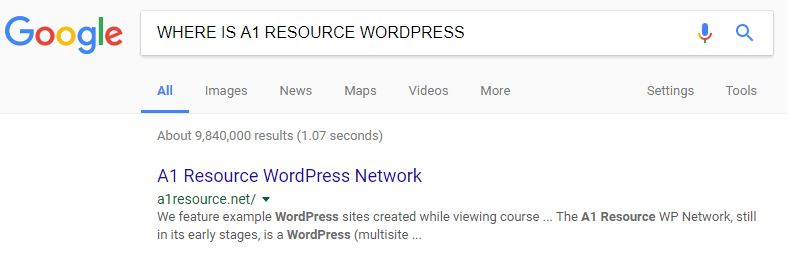
WHOA! NO PAGE!?!
But WHOA! Was it misspelled? Where was the site that I had been admiring at home just minutes ago? https://a1sites.a1resources.net/? Google brought up search results. I clicked! But nothing. No page showed!
What happened? I was so enthralled with my site. However, I rarely drill down from the top /multi to the levels below. Not knowing the individual, very long URLS, I click directly to each site from bookmarks, i.e., – https://a1sites.a1resources.net/andrewwilliamslearntobuildhqaffiliatesites/. If unsure, I go to the main Profile Sites table at the top level of the multisite. But the /multi/ site table would not come up.
500 Internal Server Error

I rushed home to check /multi. No site! Just an error appeared – an error that I never ran across before – “500 Internal Server Error”. I searched Google for “500 Internal Server Error in WordPress”. What a relief! A vast amount of results appeared showing that many folks experienced the same error. No problem in finding recommended fixes. Some suggestions made sense. I connected via FTP and copied and then renamed the .htaccess file to .httaccess_old. No improvement so I immediately changed it back.
I nervously read more suggestions and began to panic. Many ideas looked too technical. Luckily, most of my WordPress multisites were working. With so many plugins – recommended by instructors for their particular sites – I did not want to deactivate all of them.
I lamented the days at work when there was a savvy boss or system admin to fix the problem or resources and funds available to ask for outside help. But, I am it… the sole person creating and maintaining this WordPress multisite. That might be the answer. The confusion may be that the results were for regular WordPress sites. This is a multisite. Only the main site in the multisite would not show up.
FATAL ERROR
However, after some initial clicks to try to solve the problem, one site immediately below my main site gave a different, but even more daunting, error:
Fatal error: Unknown: Cannot use output buffering in output buffering display handlers in Unknown on line 0.
I retried the /multi/ site and it now also showed the error. I disabled a recent plugin and tried a few other things. In the end, Google indeed, was my friend.
Quite a few articles discussed W3 Total Cache plugin, especially the minify settings. Yes, I recently tried the Google PageSpeed Insights test and with the low results had made cache adjustments in the WordPress plugin – W3 Total Cache settings.
The answer to my conundrum came from this short post:
“Thanks to the above comment, I investigated our W3 Total Cache plugin minify settings. All I did was go to this line; To rebuild the minify cache use the [empty cache] operation and clear the cache. That fixed it for me.”
That fixed it for me, too! Well, it sent me to the minify settings in W3 Total Cache and I took it from there by first emptying the cache.
SUMMARY
In summary, I found a new error when I attempted to load my page:
https://a1sites.a1resources.net/
I had been playing around with speed of the site and after using W3 Cache it showed a pleasing:
However, the main site broke.
To speed the site I adjusted cache including “minify cache settings”.
Google search results for the error message –
Fatal error: Unknown: Cannot use output buffering in output buffering display handlers in Unknown on line 0
brought up the link:
(@ausweb)
…his erros happens when i activate the minify, when i dasable the minify it stops, someone knows how to fix this?
Answer: Thanks to the above comment, I investigated our W3 Total Cache plugin minify settings. All I did was go to this line; To rebuild the minify cache use the [empty cache] operation and clear the cache. That fixed it for me.
————-
The Fix
Adjust the W3 Total cache by clicking the toggle to turn all caching types off.
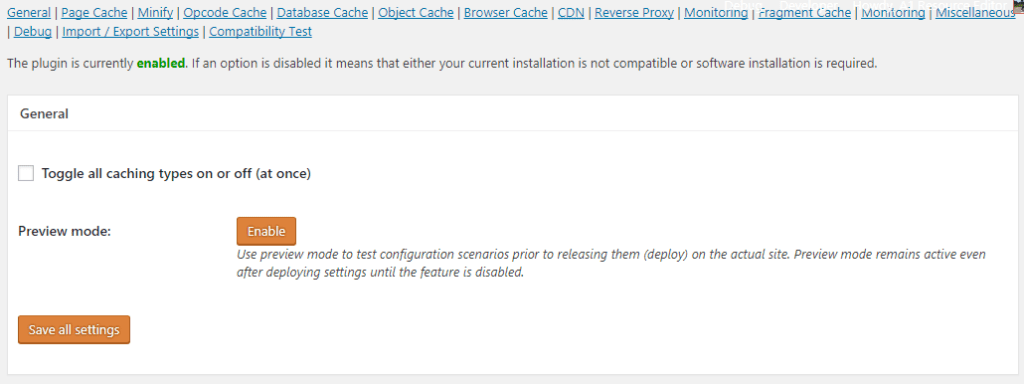
W3 Cache Page Cache Settings OFF
The following message appears:
The plugin is currently disabled. If an option is disabled it means that either your current installation is not compatible or software installation is required.
W3 Cache General Settings
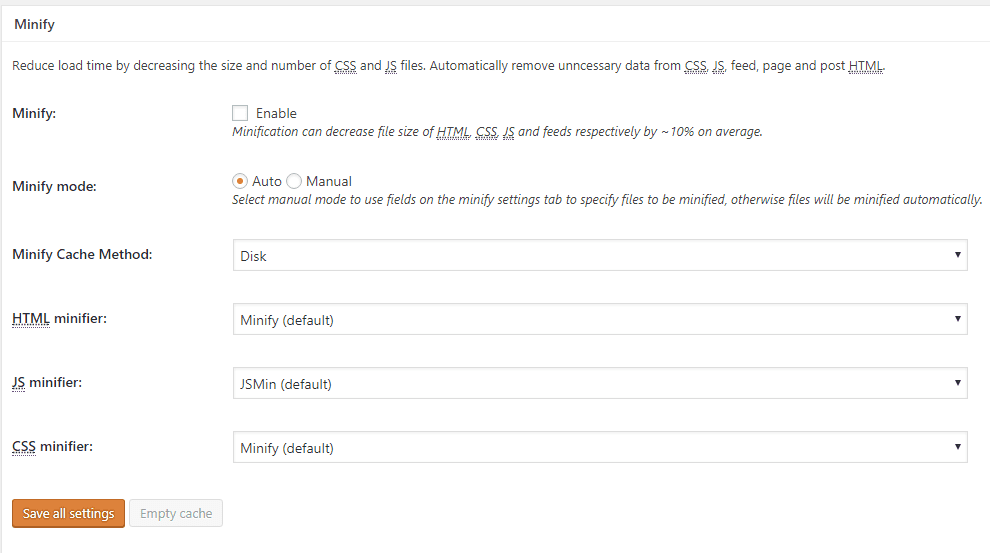
Add caching in various fields but leave minify cache settings off (unless you have a good understanding of what they do).
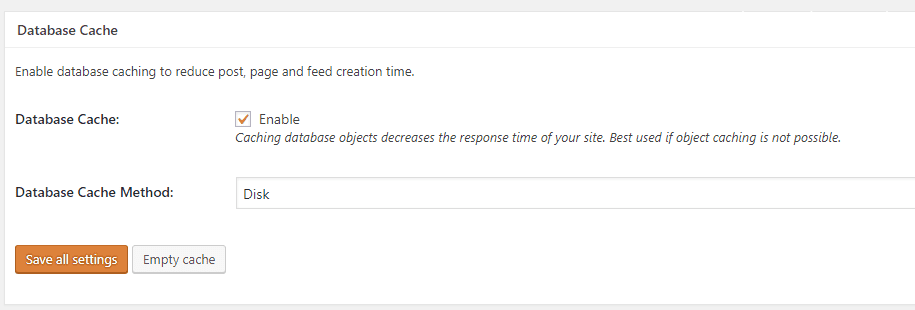
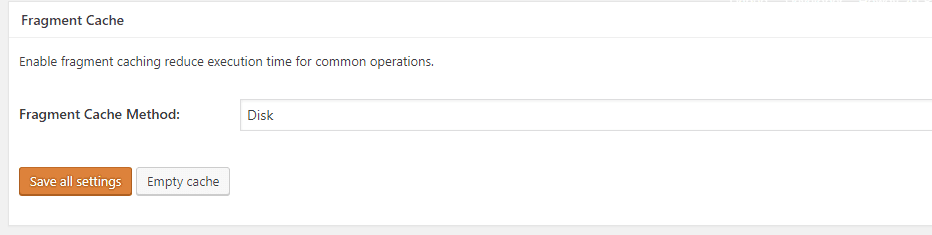
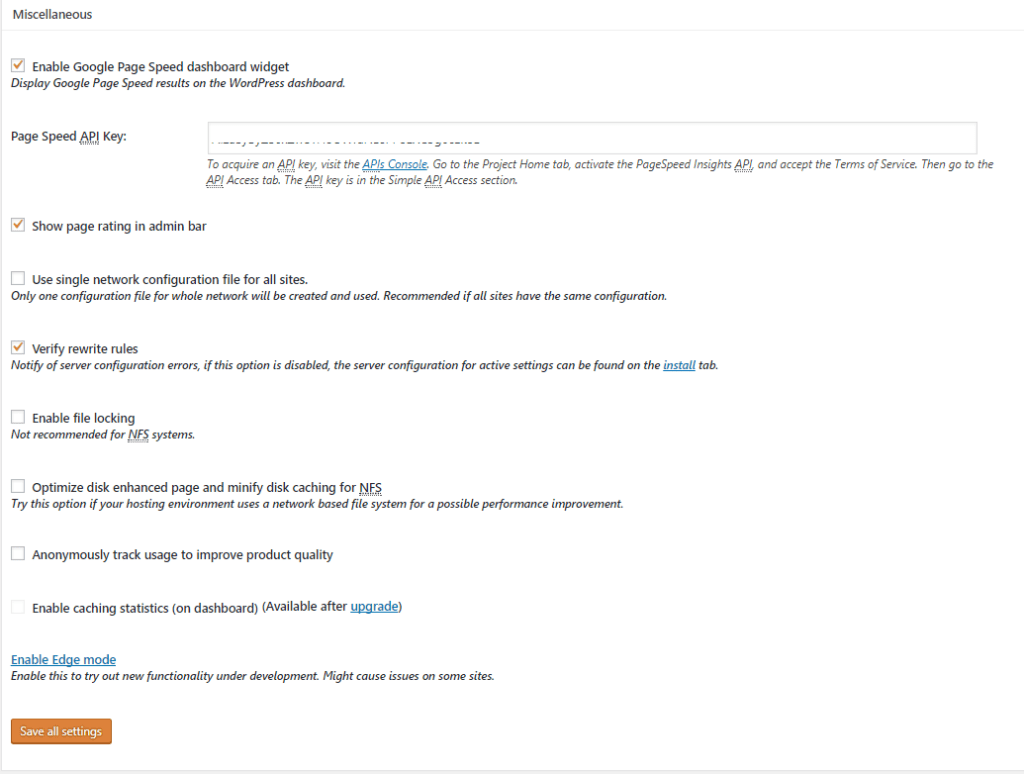
My settings below are those of an amateur thus following them exactly may not be the best idea. This multisite appears to work again but most likely the settings are not optimally set. Suggestions are most welcome.
W3 Total Cache Page Cache Enabled
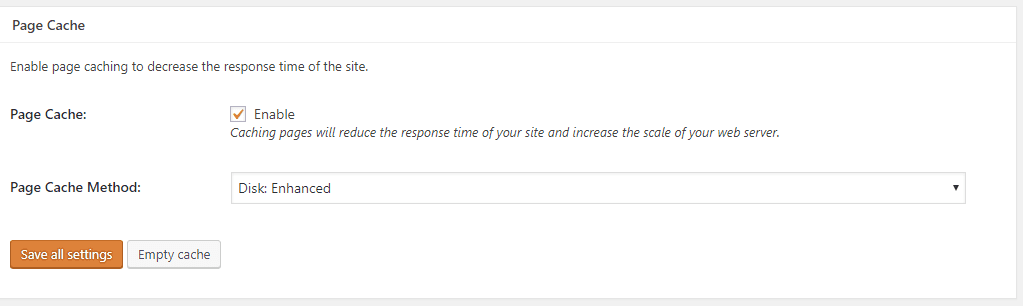
W3 Total Cache Minify Settings –
W3 Cache Minify Settings Disabled
Database Cache Enabled
W3 Total Cache – Fragment Cache Method Disk
Miscellaneous Settings
What I Learned
Hopefully, this article will be helpful to other WordPress Multisite webmasters should they see “500 Internal Server Error” or “Fatal error: Unknown: Cannot use output buffering in output buffering display handlers in Unknown on line 0”. Don’t panic!
After this experience, my lesson is to be sure to try viewing the entire WordPress Multisite – individual sites – after caching changes. Start with the top site of the multisite and work your way down. It helps to know what you are doing. Select Minify settings in W3 Total Cache with caution. Be sure to have a recent WordPress backup and understand how to restore. Be careful that search results relate to a WordPress Multisite.
Basically, I learned WordPress can be delicate. All plugins do not necessarily work well together. Keep an eye on the top level. Know what you are doing. Know where to find quality research results on the web.
Comments are welcome!